
Making the most of blog comments: Part 6 - Making a unified blog post and comment feed with Yahoo! Pipes
I've been writing a series of posts looking at various aspects of implementing comments on blogs. This week I've been concentrating on the way that blog comments can be output as RSS. Yesterday I explained how to add a recent comments RSS feed to Movable Type.
Today I want to look at how you can publish one feed from your blog, which features both the entries written by the author, and the comments left by users. What I want to end up with is one RSS feed that I can subscribe to, which will feature not only every post on the blog as it is published, but every comment published on the blog as well. I call this a 'unified' or 'compound' feed. Few sites seem to offer this, partly as a result of functionality limitations on the most popular blogging platforms.
It is quite easy to make a compound feed like this from any blog that publishes both an RSS feed of entries, and an RSS feed of comments. Feedburner offers the ability to splice feeds together, as can Feed Digest, and I've recently been hearing good things about xFruits from Robin Hamman.
However, I'm a loyal fan of Yahoo! Pipes, and would recommend using that. Making a spliced up feed of blog posts and comments is a very basic and easy way to start learning how to use Pipes, which can be a very powerful tool.
Anyone who has signed up for a Yahoo! account can start using Pipes. Log in to the site and simply hit 'Create a pipe' in the main navigation.

Making a compound posts and comments blog feed
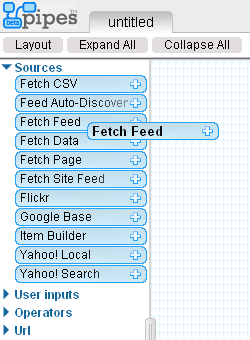
Once you are ready to start building your Pipe, you'll need to use the Fetch Feed module. Drag that with your mouse to the workspace area.
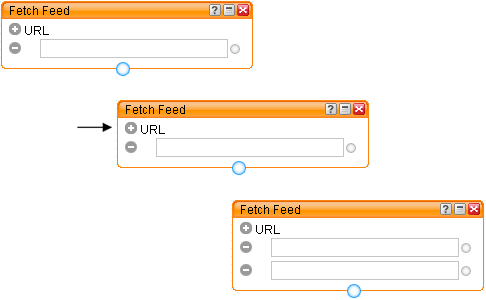
Then click the +URL icon to add an additional input box into the module.
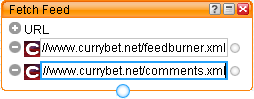
Next you need to input your two feeds - one feed containing the full posts from your blog, and one of your blog's full comment stream.
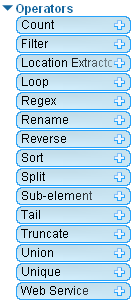
Now that the two data sources are joined together, you need to sort them into order. Open the 'Operators' options, and drag a 'Sort' box onto the workspace.
You need to select the criteria by which to sort. From the drop-down menu in the sort box choose the field 'item.pubDate'. This will re-order the items within the feed. Then tell Pipes whether you want the newest entries first, by selecting a 'descending' search.
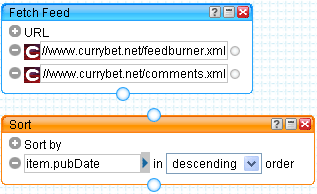
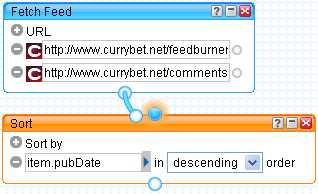
Next you need to draw in the Pipes themseleves. Click the joining link at the bottom of the Fetch Feed module, and join it to the top of the Sort module.
Click the joining link on the bottom of the Sort module and join that to the Pipe Output module, that has already auto-magically appeared in the workspace for you.
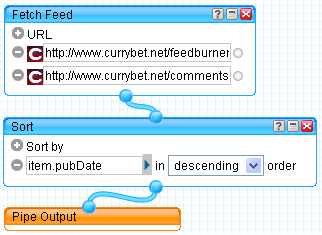
You've done the hard work. Now all you have to do is save your Pipe, give it a name, and then publish it. You can find out more about how to do that on the official Yahoo! Pipes video tutorial.

Next week...
In the next set of posts in this series, I'll be looking at some of the usability and interface issues around implementing comments on blog.
If you are a Yahoo Pipes fan check my MacrosReader and play with 25 Yahoo Pipes.
http://reader.macrostandard.com/
Does anybody knows a way to deal with RSS-Feeds which are missing the 'pubDate' Field?
The problem is, it´s not possible to sort them out like described here...
i definately loved this thank you for the post it was very informative
is there a way to show a single post from a blog and the comments to that post only?
It would be quite clumsy to try and do that using Yahoo! Pipes. You would really need to do that at a blog template level, as you'd no doubt want a combined feed for each individual post. That is a lot of editing of Pipes!