
Smarter searching: liberating information from the Internet - Yahoo!'s "social search" concept
 Download a print version of this article
This post is part of a series entitled "Smarter searching: liberating information from the Internet", based on my presentation at the 2006 AUKML Conference in Edinburgh
Yahoo!'s social approach
Yahoo! have taken a slightly different approach to the personalised route taken by Google, which they have termed 'social search'. One of their social web search products is called "MyWeb"

This service allows you to 'save' or 'bookmark' URLs, either directly from the search results page, or by using an additional Yahoo! toolbar installed in your browser, or a couple of other methods like bookmarklets. When you save a URL, you are able to add 'tags' to it.
When you visit your My Web homepage, it lists all the URLs you have saved, and your popular tags. Clicking on one of the tags will show you all the URLs you have tagged with that particular term.
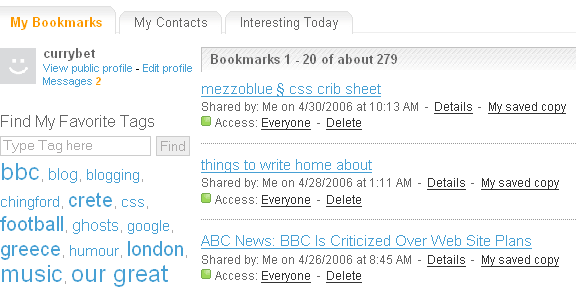
So far, it doesn't sound much more than a bookmarking service like del.icio.us or Furl. However, the service comes alive when you start to add contacts. As well as your own saved bookmarks, you can see what all your friends have bookmarked.
So, you could share bookmarks with all of your colleagues in one department. If you frequently have to research the same topic areas, it could be a way of you making a brilliant subset of the web over which you could perform your searches.

Or you can find other members of the service who have expertise in particular areas, and make them your contacts.
There is also an option to see what is interesting across the whole of the service - allowing you to cherry pick great content that is being bookmarked by a whole range of people, or look up links by the way they have been tagged.

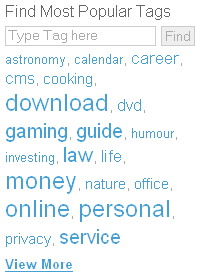
Yahoo! Answers
The Yahoo! Answers service that they have recently been promoting in the UK is another example of this. This takes as a base the concept that human brains are always going to be better than number-crunching computers at really understanding meaning. By getting an army of volunteers to answer questions they hope to build a database of knowledge that can supplement the computer indexing algorithms of standard web search.
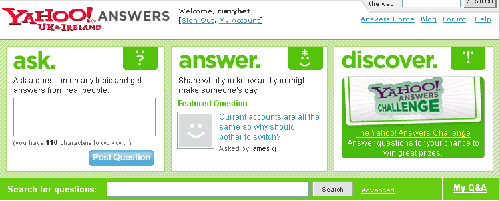
As a product it is far removed from typing a few words into a box and hoping for the best, as it invites users into a dialogue with other people. In fact, in some senses I'm not even convinced that Yahoo! Answers represents 'search' at all. There is also a concern about how the information is maintained. If someone asks the question 'Who is the Prime Minister of the UK', the answer might be correct now, but it is almost certain to become wrong within the space of 12 months, and there doesn't seem to be a mechanism to remove or change out-dated answers.
In part four I'll be looking at how to optimise your web browsing experience for smarter searching.