
Using image search on Photobucket
Flickr is generally held up by the chattering blogosphere classes to be the epitome of Web 2.0 goodness in terms of the development, API, user interface and feature set it offers. It always comes as a shock then to remember that not only are there other photo-sharing services on the internet, but that there are quite a few who are more successful than Flickr in terms of the numbers of members and number of images stored.
One of Flickr's great strengths is seen to be the collective power of tagging, and how that makes it easier to browse and search the available photographs. I was interested therefore to compare the search facilities across a series of the major photo-storing and sharing applications on the internet, with a view to establishing whether Flickr's folksonomy does really give it an edge in image retrieval. I started by looking at the market leader, Photobucket.
I have to say that having grown accustomed to the rich user interface at Flickr I was quite astonished at the sparseness of the user experience at Photobucket, and particularly how it fails to perform features that I have just taken for granted - for example re-sizing an image so that it will fit in a browser window when you are browsing through a photo-album.
The search box is prominently placed, along with the adverts, in the top status bar of Photobucket's pages.

A standard search will produce a results set of 20 images, displayed in five rows of four thumbnail images. The maximum thumbnail size displayed is 160px by 160px. Above each image a title is displayed, and below each image is the name of the user to whom the photo "belongs".
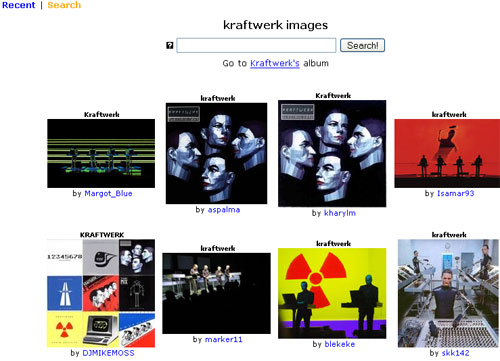
One marked difference between using Photobucket and Flickr is that a much higher proportion of the images within Photobucket are not original photographs but web graphics, icons, album sleeves and otherwise appropriated material.
Photobucket's search retrieval algorithm is based on the title of each picture - there is no tagging involved. I found that this worked well for some of my more literal test searches, e.g. for 'kraftwerk', 'cycling', and 'puppies'. My attempts to find images based on their geographical location also worked, e.g. 'rome' and even more specifically 'trevi fountain'.
However Photobucket's image search didn't perform so well when I tried searching on more conceptual terms. 'Sad' produced mostly pictures of unhappy people, which was fine, but 'english' and 'french' didn't retrieve what I was hoping for - picture of quintessential Englishness and Frenchness. In fact a search for 'french' mostly turned up a series of anti-French cartoons and posters originating from the USA.
Photobucket also offers a search by category. This offers a very shallow taxonomy of common search concepts. The top level displays 10 categories, each with either two or three sub-category links:
- Nature (Flower, Sunset, Mountain)
- Transportation (Car, Airplane, Boat)
- Home (Garden, Food, Dessert)
- Animal (Dog, Cat, Horse)
- Structures (Bridge, Castle, Statue)
- Sport (Surfing, Football, Snowboarding)
- Travel (Hawaii, Mexico, London)
- Photography (Macro, Panoramic, Reflection)
- Event (Wedding, Birthday, Vacation)
- Contest (MySpace Friends, Pimp Your iPod)
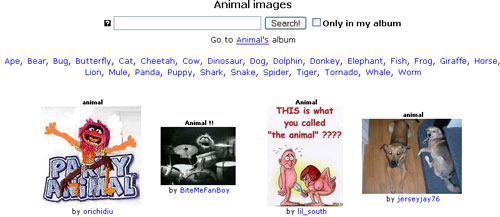
Clicking on any of these links takes the user to a search results page generated for that category. If you choose a top-level category, then all the available sub-categories are displayed under the search box. Relying on the dynamically generated search results to populate the categories does not always work brilliantly - the search for animal was just as likely to pull up pictures the drummer from The Muppets and seaside-style smutty cartoons, than actual pictures of animals.
Here is a feature summary of search on Photobucket:
| Photobucket - feature summary | |
|---|---|
| Number of results | 20 |
| Result display | 5 x 4 grid |
| Maximum thumbnail image size | 160px high by 160 px wide |
| Title | Yes |
| Description | No |
| Photographers name | Yes |
| Photographers photo count | No |
| Favourite count | No |
| Add to 'My favourites' button | No |
| Picture taken date | No |
| Picture uploaded date | No |
| Tags displayed | No |
| Restrict search to my own pictures | Yes |
| Help with spelling | No |
| Search full text or tags option | No |
| 'Sort by' options | No |